TradingDiary Pro supports end-of-day quote download for the added instruments with a modular quote download system. There are several quote download modules and the number is growing.
To download EOD data, select a quote download module first.
Click on the Quotes/Select Quote Download Module menu.
The following window appears:
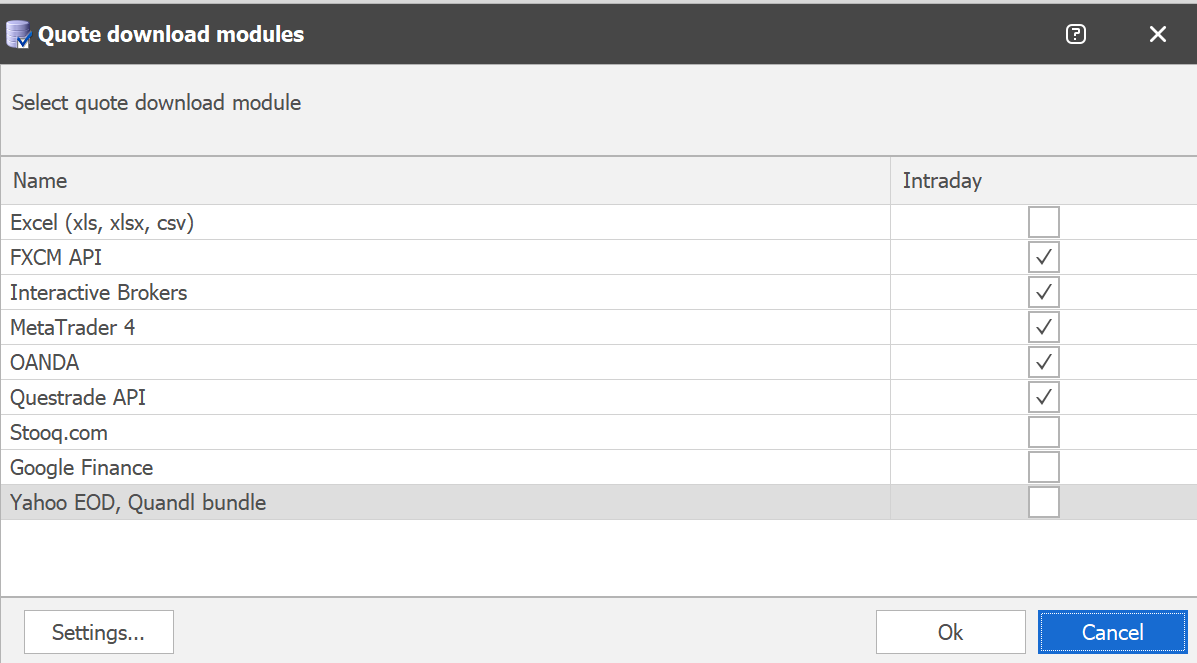
If the quote download module has settings, the Settings button will be enabled. The check box indicates whether or not the module supports intraday data.
Select a quote download module and then press OK.
To start importing, click on the 'Quotes/Import - quote download module name'.
For detailed information read each quote download module chapter.